

- Published on
Best Practices for AI-Enabled SaaS Integrations in 2025
Listen to the full article:
- Authors

- Name
- Jagadish V Gaikwad

Artificial Intelligence (AI) is no longer a futuristic add-on but a core driver of innovation in SaaS (Software as a Service) products. Integrating AI into SaaS platforms enhances automation, prediction, customer experience, and operational efficiency. However, successful AI-enabled SaaS integration requires deliberate strategies, technical finesse, and a user-centric mindset. Here’s a comprehensive, SEO-optimized guide covering the best practices for AI-enabled SaaS integrations in 2025.
Why AI-Enabled SaaS Integration Matters
AI integration transforms SaaS solutions from reactive tools to proactive business partners. It empowers automation of repetitive tasks, smart prediction of user needs, and real-time data-driven decisions. Properly implemented, AI integration boosts productivity, reduces errors, and creates scalable, future-ready SaaS ecosystems.
1. Adopt a Gradual, Phased AI Integration Approach
Jumping headfirst into full AI deployment can overwhelm your system and team. Instead, gradually adopt AI capabilities through pilot programs targeting specific use cases like chatbots for customer support or automated ticket classification. This phased approach allows you to:
- Identify technical challenges early
- Fine-tune AI models based on real user feedback
- Mitigate risks before broad rollout
For example, integrating AI chatbots first to handle basic queries can free up human agents while you prepare backend systems for more advanced AI workflows.
2. Ensure Compatibility with Your Existing Tech Stack
AI tools must mesh well with your existing SaaS infrastructure. Key compatibility factors include:
- API Accessibility: Robust, well-documented APIs are essential for seamless data exchange and control between AI services and your SaaS platform.
- Cloud and On-Premise Support: Flexibility to operate across hybrid environments is critical for scalable SaaS deployments.
- Third-Party Integrations: AI should integrate smoothly with CRM, billing, analytics, and other essential SaaS components to avoid silos.
- Data Security & Compliance: AI integration must comply with industry regulations (e.g., GDPR, HIPAA), especially when handling sensitive user data.
Choosing AI tools with open APIs and cloud-native architectures simplifies integration and scalability.
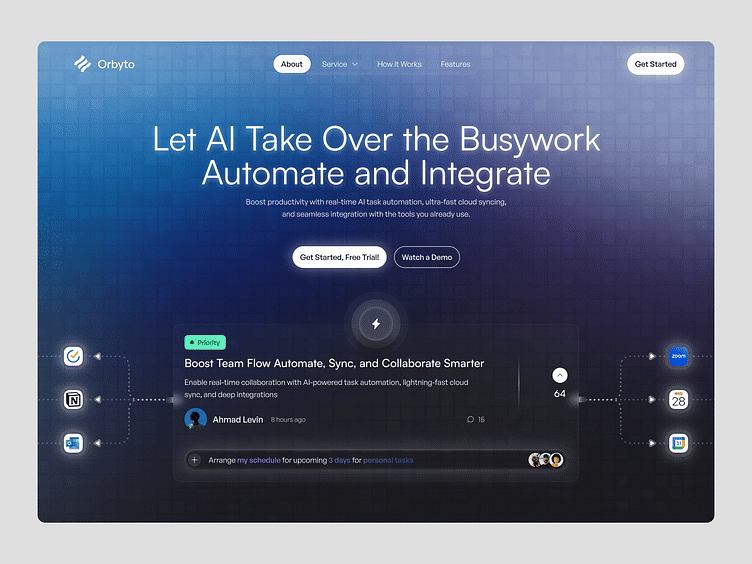
3. Focus on Intelligent Workflow Automation
A standout benefit of AI-enabled SaaS integration is smart workflow automation. AI continuously analyzes interactions across your SaaS applications, detecting bottlenecks and automating routine tasks with minimal human input. This approach:
- Streamlines business processes
- Reduces manual workload and human errors
- Enhances speed and accuracy
For example, AI can automatically trigger workflows when specific business events occur, such as generating a support ticket or updating customer status based on predictive insights.
4. Prepare Your SaaS Platform for AI Integration Early
Before connecting AI models, conduct a technical audit of your SaaS application to assess its readiness. This includes:
- Reviewing whether existing modules support scalable and secure data exchange with AI services
- Identifying if you need simple revisions or a major rebuild for compatibility
- Preparing your app’s UI to capture effective input and display AI results intuitively
Early preparation accelerates integration timelines and reduces costly rework. Most SaaS integrations leverage API-based mid-code methods, balancing speed and customization.
5. Leverage Event-Driven Architecture for Responsive AI Workflows
AI-enabled SaaS platforms benefit from event-driven architectures where user actions (uploading files, clicking buttons) trigger AI processing workflows. This structure:
- Keeps code modular and organized
- Matches AI features to specific user events for better responsiveness
- Supports easy updates and feature expansions
A clean event-handling system ensures AI features work reliably and deliver real-time feedback, crucial for user trust and adoption.
6. Optimize for Performance, Explainability & User Experience
AI integration isn’t just about functionality; it’s about delivering fast, transparent, and relevant AI outputs:
- Low latency: AI responses should be near real-time to keep workflows smooth.
- Explainability: Provide users with understandable reasons behind AI decisions—especially for high-stakes outcomes—to build trust.
- Contextual relevance: AI outputs must be tailored to the user’s data and current application state to maximize usefulness.
- Invisible but impactful: AI should enhance workflows subtly, like predictive analytics surfacing insights proactively without disrupting users.
Balancing these factors ensures AI adds value without frustration.

7. Implement Robust AI Governance and Security Controls
AI integrations introduce new risks including data privacy breaches, unintended biases, and compliance violations. Best practices include:
- Inventory all AI tools to track where AI is used across your SaaS stack.
- Establish AI usage policies defining allowed operations and data access.
- Monitor AI access and usage continuously to detect anomalies or unauthorized behavior.
- Enforce zero-trust security models around APIs and data exchanges.
- Implement human-in-the-loop reviews for critical AI decisions.
Strong governance protects your SaaS platform and user trust as AI capabilities grow.
8. Build Scalable & Cloud-Native Integration Architectures
Your AI-enabled SaaS integration should be built for scale and resilience:
- Use cloud-native designs that adapt dynamically to demand.
- Incorporate queuing and retry mechanisms to prevent cascading failures.
- Prepare for horizontal scaling to add capacity seamlessly.
- Leverage iPaaS (Integration Platform as a Service) solutions to simplify managing complex AI workflows across multiple SaaS systems.
This infrastructure supports sustained growth and continuous improvement.
9. Take Advantage of Emerging Standards like Model Context Protocol (MCP)
The AI integration landscape is evolving with standards like Model Context Protocol (MCP), which enable smarter, context-aware data sharing without custom wiring. MCP promises:
- Faster and more elegant AI-SaaS connections
- Intuitive, adaptive AI integration experiences
- Reduced development complexity
Post-2025, MCP is expected to become a key enabler for AI-enabled SaaS integrations, so keeping an eye on such standards is a smart move.
Comparison Table: AI Integration Methods for SaaS
| Method | How It Works | Best For | Key Trade-Offs |
|---|---|---|---|
| No-code/Low-code | Visual tools with pre-built AI modules | Prototyping, simple automation | Limited customization, vendor lock-in |
| Mid-code (API-based) | Connecting SaaS to third-party AI via APIs | Fast integration, some customization | Data privacy concerns, API costs |
| Full-code (Custom) | Building custom AI models and deep integration | Unique features, full control | High cost, longer development |
This table helps SaaS teams decide the right integration path based on their resources and goals.

Final Takeaways
- Start small, scale smart: Use phased AI adoption to reduce risks.
- Prioritize API-first and cloud-native designs for smooth integration.
- Automate workflows intelligently to maximize efficiency.
- Prepare your SaaS app with audit and modular event-driven logic.
- Balance performance, explainability, and user-friendly design.
- Enforce strict AI governance and security protocols.
- Embrace emerging integration standards like MCP for future-proofing.
By following these best practices, SaaS businesses can unlock AI’s full potential to create smarter, faster, and more adaptable software solutions.
Integrating AI into your SaaS platform is a journey. What’s the biggest challenge you’ve faced or expect in AI-enabled SaaS integration? Share your thoughts or experiences in the comments!
You may also like
- The Economics of Running AI Workloads on the Cloud: Costs, Benefits, and Trends in 2025
- How to Build Your Own AI SaaS Product Without Coding in 2025
- How AI Is Reshaping the Future of SaaS: Trends, Impact, and Opportunities in 2025
- Email Marketing Automation Tools for SaaS Founders: Boost Growth and Engagement in 2025
- Best SaaS Tools for Automating Business Workflows in 2025